
Use Seedream 5.0 Lite to merge images into one
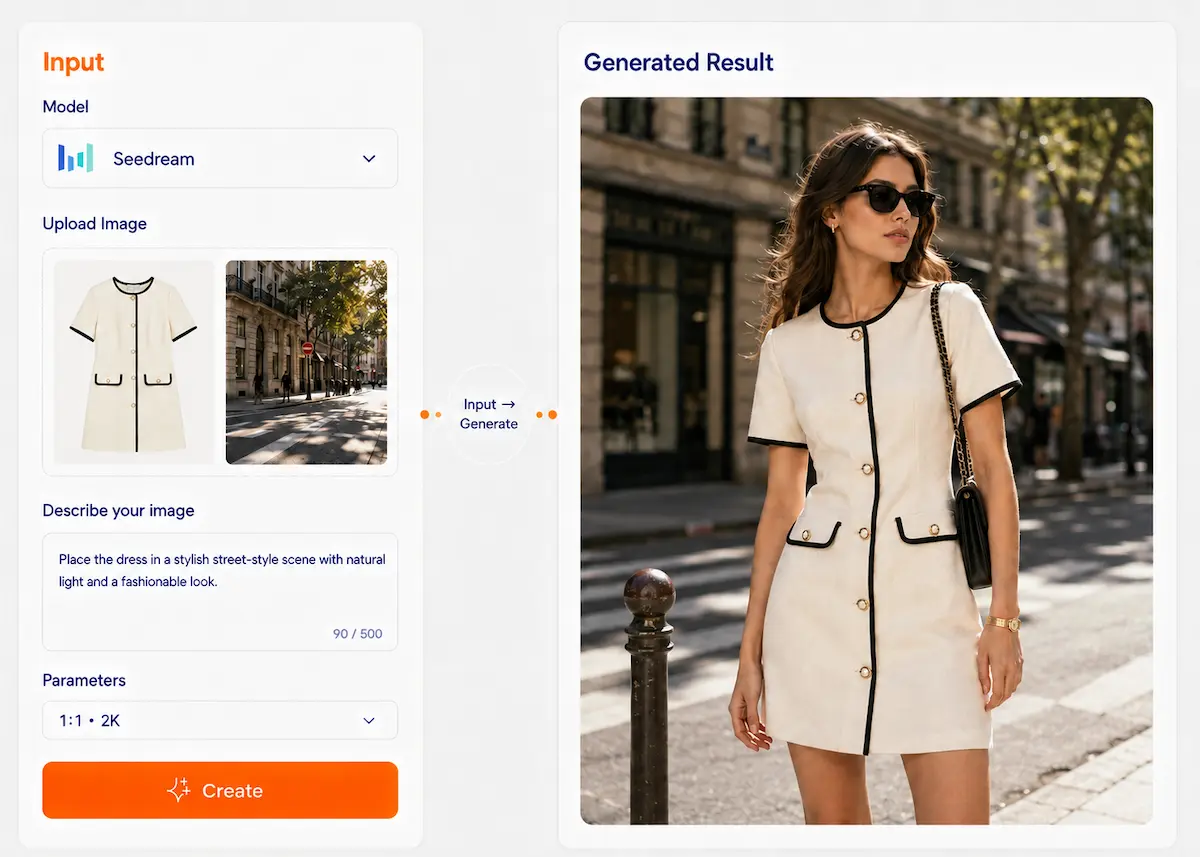
Upload multiple images and use Seedream 5.0 Lite to create a clear and natural composite image. Combine products, people, backgrounds, and style references into one polished result, such as placing shoes in a stylish street scene for a trendy lifestyle visual.
Seedream 5.0
A unified image model for generation and editing. Use text and multiple reference images to create, refine, and iterate with stronger control over subject, style, layout, and visual consistency. Especially useful for posters, product visuals, serial content, and information-rich images.
You may have encountered these issues
When one prompt or one image is not enough, image creation quickly becomes hard to control.
One image cannot explain everything
A single reference often cannot cover the subject, scene, style, and layout at the same time.
Related images keep drifting
The person, product, or visual style changes across versions when you need a consistent series.
Complex edits take too many tools
Changing content, refining details, and iterating across images can become slow and fragmented.
Posters and infographics need better understanding
Text-heavy or structure-heavy visuals need stronger reasoning, layout understanding, and visual organization.
Timely visuals are hard to keep accurate
When a topic depends on current information, older model knowledge may not be enough.
Seedream core strengths
Generate + edit in one
Create new images and continue refining them in one unified image workflow.
Multi-image editing
Use multiple reference images together to guide the final result more clearly than a single-image workflow.
Deeper reference understanding
Seedream better captures key features from reference images and aligns them with your intent.
Better subject consistency
Helpful for keeping recurring subjects, products, and styles more stable across related images.
Knowledge + reasoning
Stronger multimodal understanding improves complex visual tasks, information-heavy visuals, and structured creative work.
Real-time search support
More suitable for timely content and creative tasks that depend on up-to-date information.
Real case studies
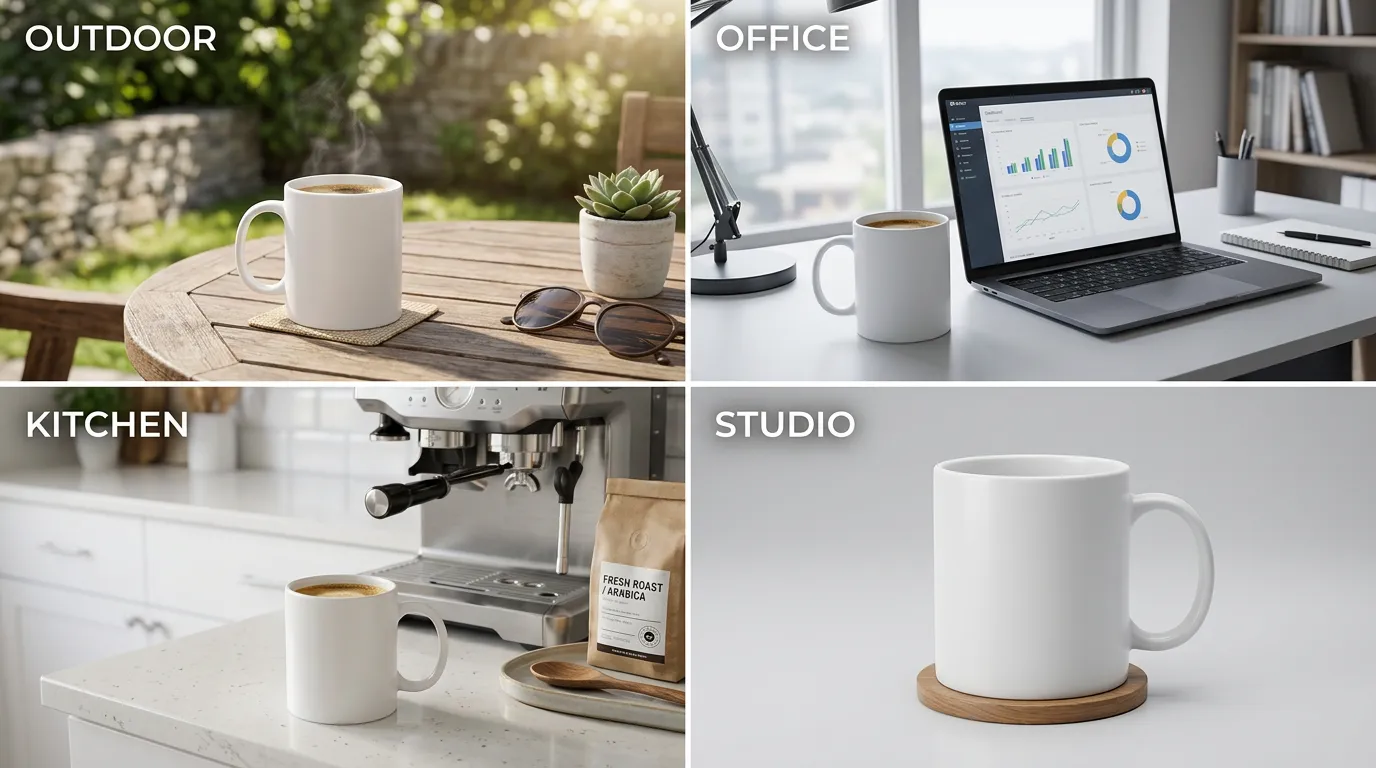
White coffee mug in 4 scenes: outdoor, office, kitchen, studio, identical product
Case descriptionSame product in 4 scenes, subject consistent
Workflow
Select Seedream 5.0
Upload one or more reference images
Describe what each reference should guide
Add your output goal, style, or layout requirements
Generate and review the result
Click “Continue edit” to refine the next version
Beginner Tips Title
Beginner tips
Tip 1
Assign one job to each reference when possible
For example: one for subject, one for scene, one for style.
Tip 2
Change only 1–2 key points per round
Small controlled edits usually produce more stable results.
Tip 3
Reuse the same references for series work
This helps keep the product, person, or style more consistent across related images.
Tip 4
Be explicit about layout and text-heavy needs
For posters or infographics, describe structure, hierarchy, and visual priorities clearly.
Tip 5
Use timely context when needed
For current topics or time-sensitive visuals, Seedream’s search-enhanced workflow is more suitable.
Prompt presets (copy and use)
6 practical presets for multi-reference image creation and editing
Multi-reference product preset
Use Image A as the product reference, Image B as the scene reference, and Image C as the style reference. Generate a clean product visual showing [product] in [scene]. Keep the product recognizable, match the lighting and mood, and leave clean space for text.
Use templateCharacter consistency preset
Use these images as references for the same character. Generate [number] images of the character in [different scenes or poses]. Keep the facial features, hairstyle, and overall visual identity as consistent as possible.
Use templateStyle fusion preset
Use Image A for the main subject, Image B for the visual style, and Image C for the color mood. Generate a new image that combines them naturally while keeping the subject clear and the style cohesive.
Use templatePoster preset
Create a poster about [topic]. Use the reference images to guide the subject, scene, and color direction. Title: [title]. Key message: [message]. Style: [style]. Layout: [layout]. Make the composition clean and readable.
Use templateLocal edit preset
Edit the uploaded image. Change [area/object] from [A] to [B], keep the rest unchanged, and preserve the overall composition, lighting, and visual style.
Use templateInfographic preset
Create an infographic about [topic]. Use the references for visual direction. Include the title [title], 3–5 key points, clear section hierarchy, and a clean layout with readable text and simple visual organization.
Use templateWhy choose Dovoo AI
Use multiple AI models in one place
Access leading AI models with one account for image, video, and creative generation.
One subscription, less hassle
Avoid paying for multiple platforms and manage your creative tools more easily.
Reuse assets across workflows
Keep using your uploaded images, videos, and brand assets across different creative tasks.
Create faster with one workflow
Work in a unified creative process and export clean, watermark-free results.
Export watermark-free results
Download clean, watermark-free creations ready for publishing, ads, presentations, and commercial use.
FAQ
Real-time search is useful when the image depends on recent information, current topics, or time-sensitive content that benefits from more up-to-date context.
Ready to start creating?
Try Seedream 5.0 for multi-reference image creation, editing, and iterative visual work.
Start creating