
Use Wan 2.6 to merge multiple images into one
Upload multiple images and use Wan 2.6 to create a clear and natural composite image. Combine subjects, scenes, products, styles, and reference details into one polished result.
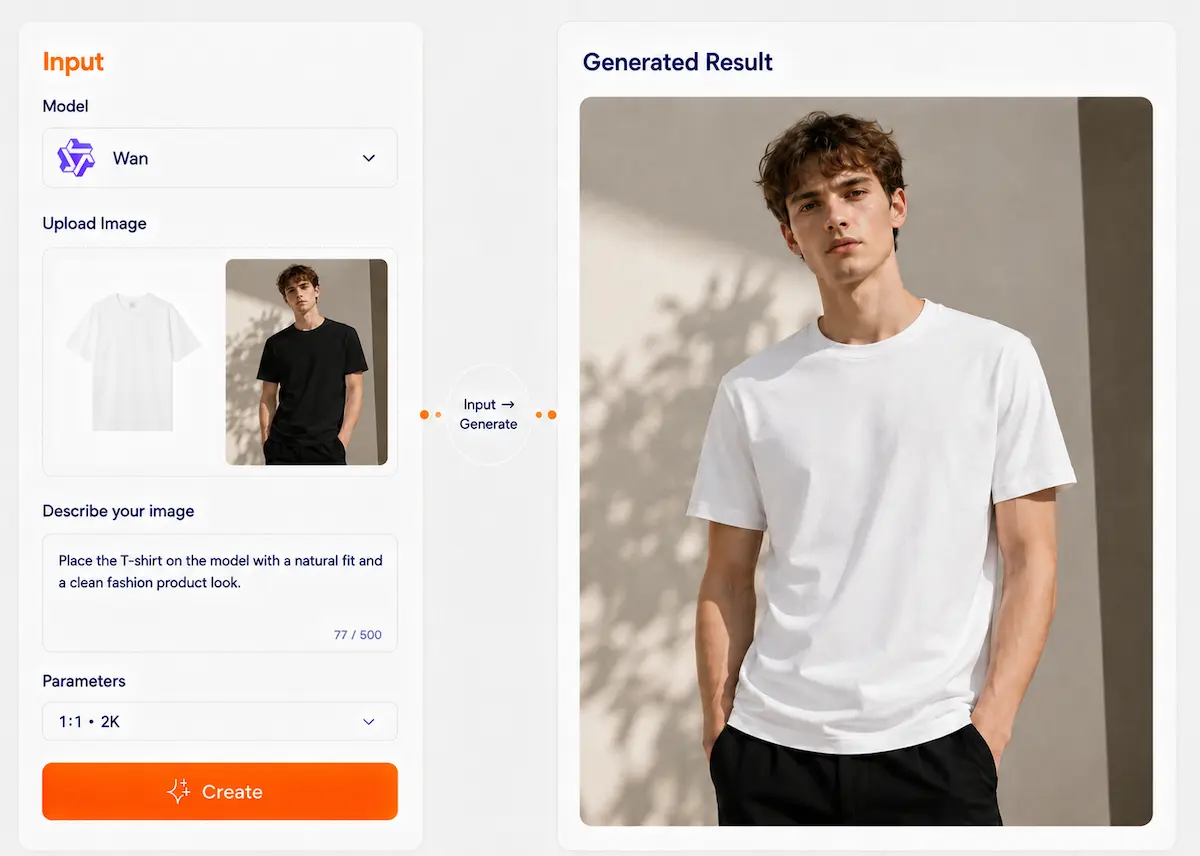
Create 4K AI Images with Wan 2.6
Turn text prompts or reference images into polished ads, posters, characters, product visuals, and brand images.
What can it do?
6 core capabilities for your creative needs
Text rendering
Signs, posters, and packaging text are clearer and more realistic, especially in Chinese
Precise editing
Change text, add or remove objects, switch styles, and enhance details—all reliably
Multi-image fusion
Multi-image input and output; combine A's clothes + B's pose + C's background
Style transfer
Turn photos into illustrations, posters, and various artistic styles
Commercial output
Posters, banners, product images—high-resolution output for commercial use
Complex understanding
Understands complex logic and accurately restores scenes described in prompts
Get started in 25 seconds
3 steps, easy enough for beginners
Choose mode
Text-to-image / Image editing
Write one sentence
Describe what you want
Generate and refine
Adjust text/style/composition until satisfied
Try these prompts:
Generate a coffee shop promo poster, title "Limited half price", subtitle "Today's special"
Generate a Bluetooth headset main image with "¥299" price tag
Make a hot pot restaurant sign
Case showcase Let's see what Wan 2.6 can do.
Generate a coffee shop promo poster, title "Limited half price", subtitle "Today's special"
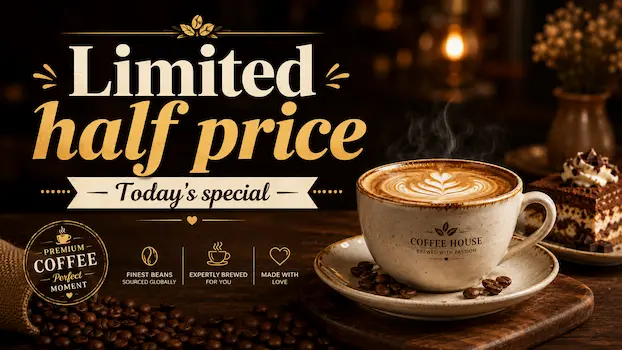
Two modes, clear choices
Choose the right creation mode for your needs
Text-to-image mode
- 1Enter your prompt
- 2Choose your style
- 3Generate image
Image editing mode
- 1Upload your image
- 2Describe the edit
- 3Apply changes
Use "explicit instructions" when editing—what to change, what to change it to, keep the rest unchanged.
Use cases
8 scenarios—find the one for you
Event posters
Promo posters with editable text
Generate an event poster for “618 Summer Sale”, title “Limited Offer”, subtitle “Up to 50% Off”, bottom date “June 1 – June 18”. Keep the layout clean and commercial.
E-commerce main image
Product image with price and promo text
Create an e-commerce main image for this product. Add promo text “Limited Deal”, price “$29.99”, and keep the product shape, color, and key details unchanged.
Restaurant menu
Signature dishes and prices
Generate a restaurant menu poster with signature dishes and prices. Use a modern food layout, warm lighting, clear typography, and include space for dish images.
App cover
Course and app series templates
Create an online course cover, title “Python Basics”, subtitle “Learn Programming Step by Step”, with a clean modern style and strong visual hierarchy.
Social media cover
Same theme, multiple styles
Generate a social media cover for a lifestyle post. Theme: “Weekend Coffee Time”. Create a stylish layout suitable for Instagram, TikTok, and Pinterest.
Product packaging
Concept design with typography
Create a product packaging concept for a cosmetic gift box. Brand name “Rose”, include premium typography, elegant colors, and a clean luxury design style.
Image restoration
Detail enhancement and quality boost
Enhance this image with clearer details, improved lighting, richer colors, and better overall quality. Keep the original subject and composition unchanged.
Multi-image fusion
Person + clothing + pose combination
Apply the pose from image 1 to the outfit from image 2. Keep the facial features, identity, body proportion, and overall style natural and consistent.
Why Use Wan 2.6 on Dovoo AI
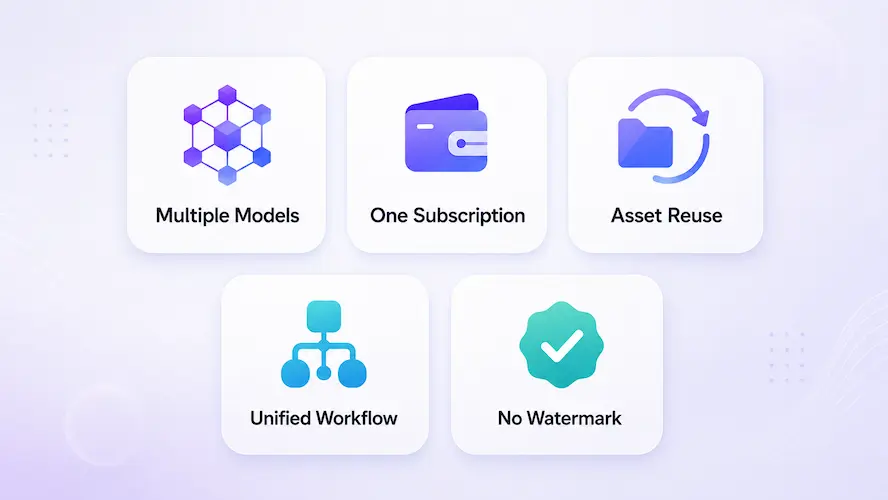
Use multiple AI models in one place
Access leading AI models with one account for image, video, and creative generation.
One subscription, less hassle
Avoid paying for multiple platforms and manage your creative tools more easily.
Reuse assets across workflows
Keep using your uploaded images, videos, and brand assets across different creative tasks.
Create faster with one workflow
Work in a unified creative process and export clean, watermark-free results.
Export watermark-free results
Download clean, watermark-free creations ready for publishing, ads, presentations, and commercial use.
FAQ
Yes. Wan 2.6 can help create visuals for social posts, ads, product promotions, campaign images, profile images, and creative content. It is especially useful when you already have a person, product, or brand reference and want to generate new images in different scenes or styles.