

Turn images into short AI videos with Seedance 2.0
Upload an image, describe the motion you want, and use Seedance 2.0 to create smooth, natural AI short videos. For example, turn a jewelry product image into a slow-rotation video that clearly shows its shine and fine details.
Make the scene move naturally
A video generation model focused on action and rhythm No animation skills needed—create smooth, natural motion
Why it fits you
✨ Smooth motion
Resists twitching, natural transitions, like real body movement
🎵 Strong rhythm
Automatic rhythm variation—even simple descriptions feel performative
🎭 Good performance expressiveness
Coherent poses, natural motion, expressive
📱 No learning required
Start with the simplest phrases—no complex prompts needed
Real use cases
Dance clips
- Generate elegant
- fluid dance moves that showcase body rhythm
Emotional performance
- Express emotion through body language—natural gestures convey feeling
Character entrance
- Create performative character entrance animations that draw attention
Fashion showcase
- Showcase clothing and accessories with runway-style movement
- professional fashion feel
Social content
- Quickly generate short-form video for social media engagement
Atmosphere shorts
- Create background motion for specific mood and emotion
Capability showcase
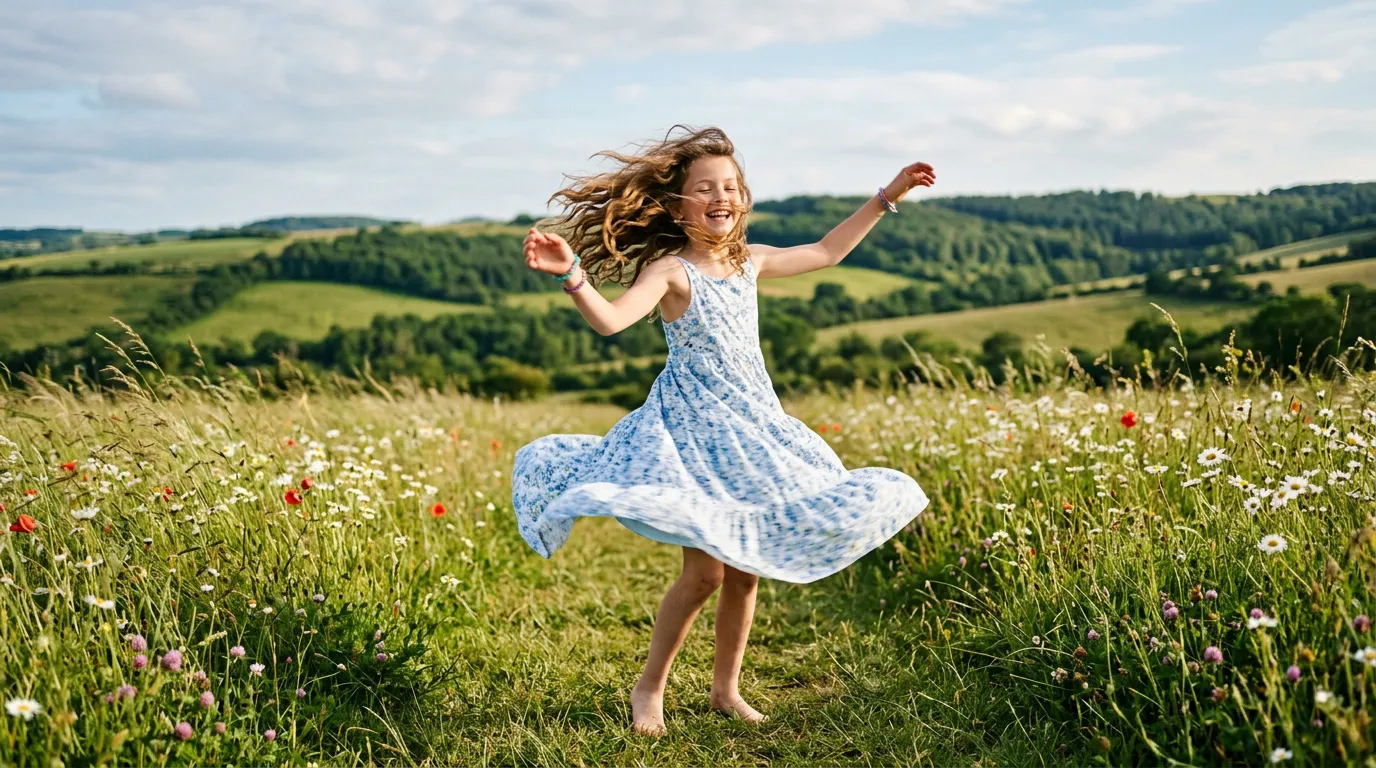
Example 1: Dance
A girl slowly spinning in the wind
Smooth spinning motion
See? Simple descriptions can produce natural motion
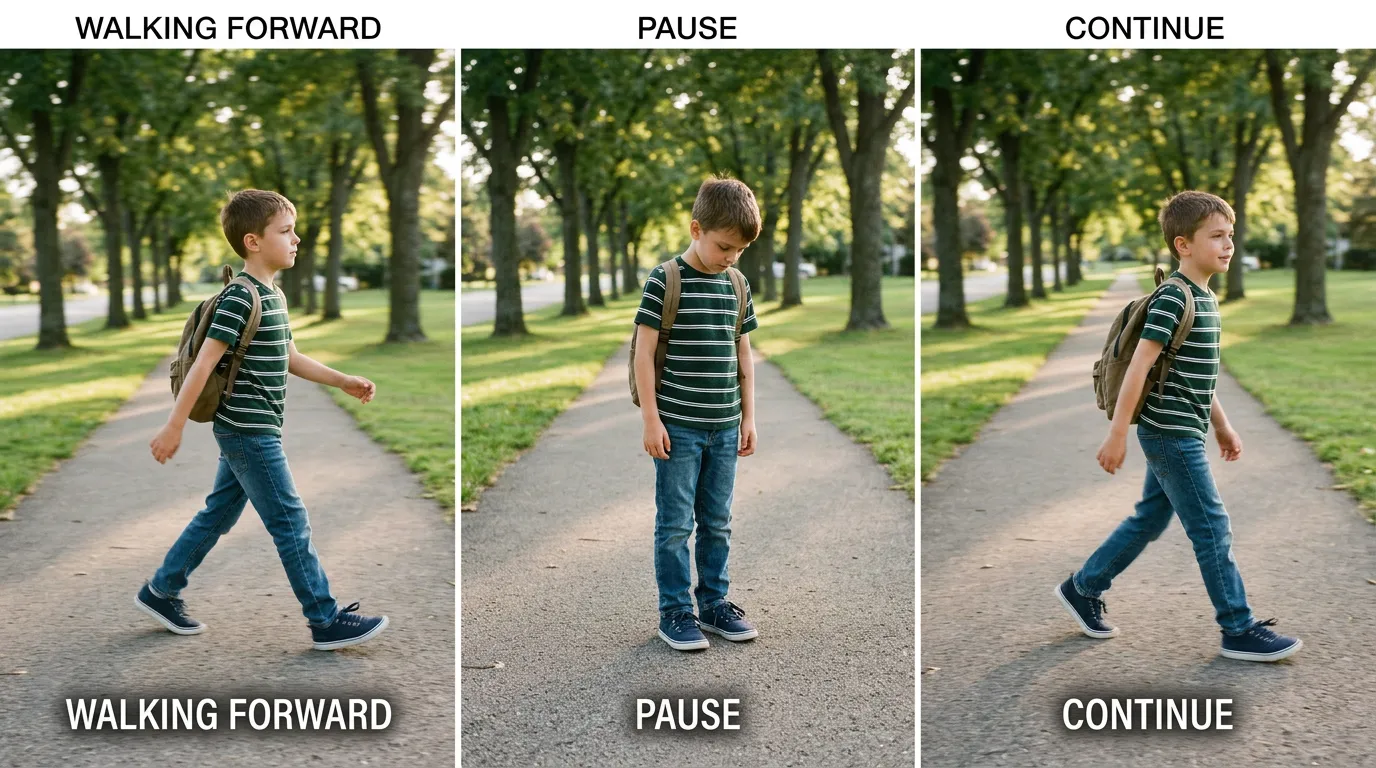
Example 2: Emotion
A boy walks forward briskly, pauses, then continues
Rhythmic walking motion
Simple motion description produces performative video
How to write for success
Subject
Describe the person or object Examples: girl, boy, dancer
Motion
Describe how it moves Examples: walk briskly, spin slowly, turn gracefully
Rhythm
Describe rhythm or pause Examples: pause briefly, speed up, repeat motion
💡 Best practices
One-click presets
Don't want to write? Pick a template and generate directly
Creation workflow
Iterate by "choosing what feels right" rather than "fixing mistakes"
Advanced features
Motion range control
Adjust motion size and range, from subtle to exaggerated
Emotion expression boost
Enhance expressiveness and impact of specific emotions
Sequential clip generation
Generate multiple clips and combine into a complete performance
Rhythm fine-tuning
Fine-tune motion rhythm and speed
Style consistency
Keep character and style consistent across clips
Transition optimization
Optimize transitions and connections between clips
FAQ
Seedance favors "motion expression" over step-by-step command execution. When a sentence contains multiple sequential actions, it blends them into a more natural performance instead of mechanically ticking each step. How to improve: Reduce the number of steps Keep one main action per sentence Don't write it like a procedure Example: Not recommended Raise hand, turn around, take three steps, then sit down Recommended Turn around and walk away slowly