

Turn images into short AI videos fast with Wan 2.2 Flash
Upload an image, describe the motion you want, and use Wan 2.2 Flash to create usable AI short videos at ultra-fast speed. For example, turn a product photo into a quick product spin video.
Just describe, and complete footage is generated
A general-purpose video generation model for most creative needs. No need to learn prompts to start creating.
Why suitable for beginners
✓ Don't know how to write
Normal speech can generate usable results; no need to learn complex prompt techniques.
✓ Afraid of failure
High fault tolerance; even imperfect descriptions can succeed. Changing words is easier than rewriting to get the desired result.
✓ Don't know which model to choose
When unsure what to use, start here. Wan can handle most creative needs.
✓ Want to succeed quickly
Iterative prompting quickly approaches success; it's not about being perfect the first time. Change one word and see the effect.
What can Wan do
Social media content
- Short videos
- stories
- fun content
Advertising visuals
- Product promotion
- brand marketing
Concept shorts
- Creative videos
- experimental content
Character stories
- Role interpretation
- emotional expression
Product display
- E-commerce
- showcase
- demo
Style creation
- Art
- experimentation
- exploration
Capability showcase
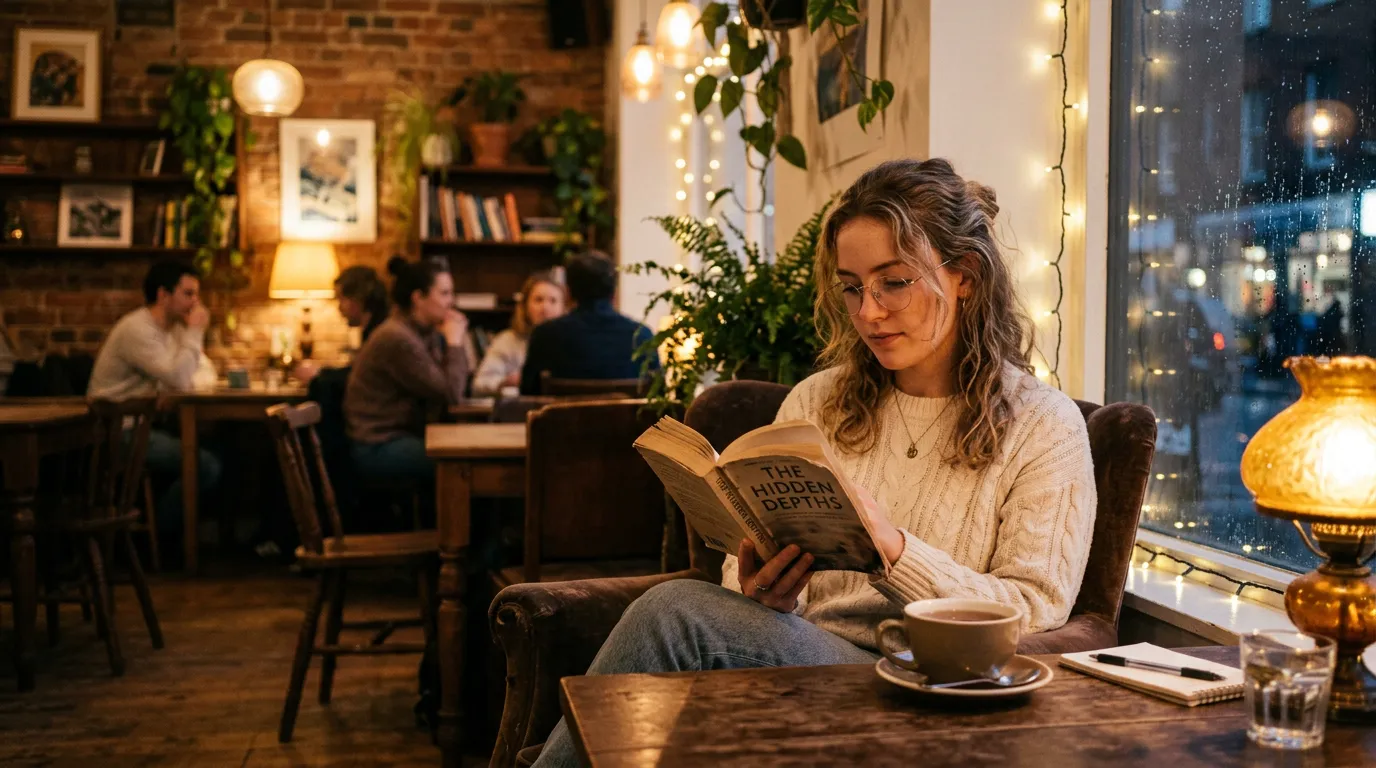
Example 1: Social media content
"A girl sitting in a cozy cafe, warm lighting, reading a book"
Subject (girl), location (cafe), atmosphere (warm lighting), action (reading)
Result: Complete video, stable scene, detailed
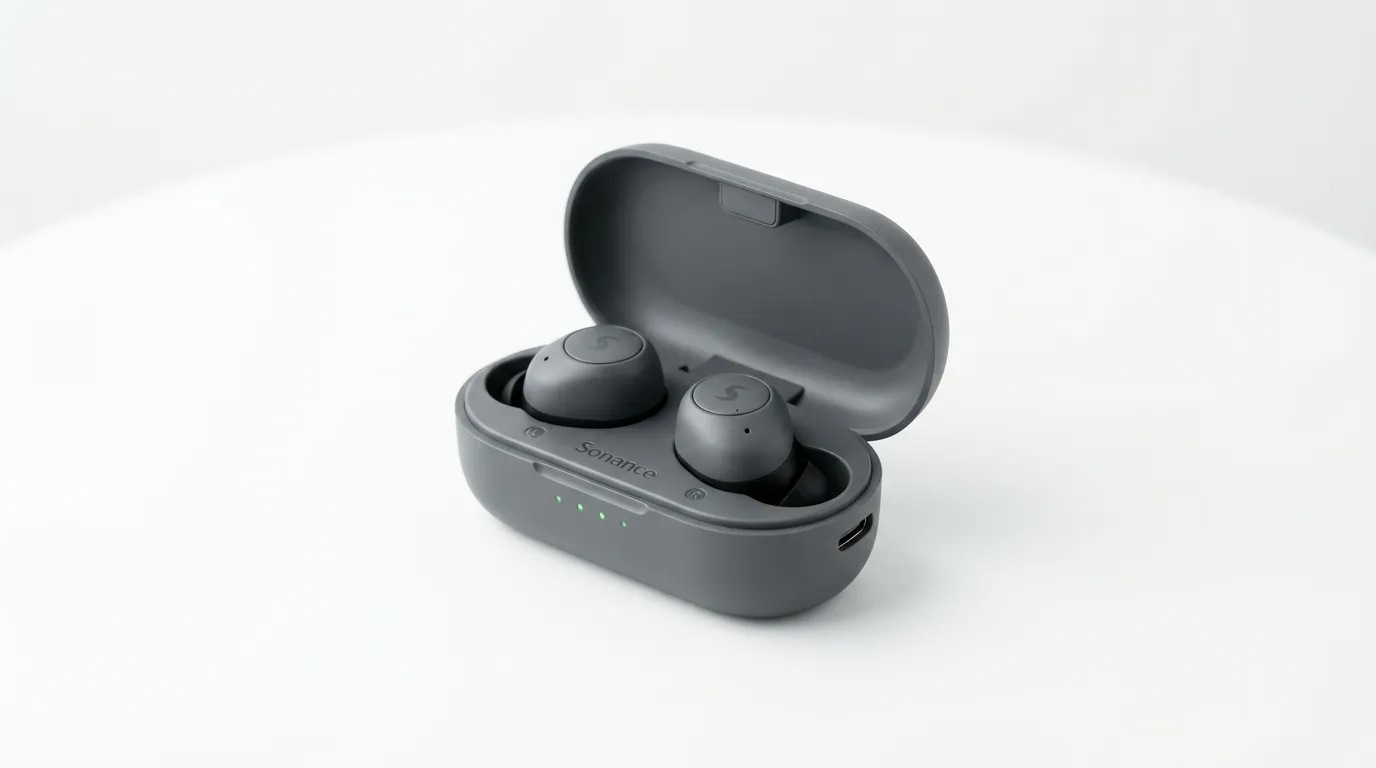
Example 2: Product display
"A modern product on white background, soft lighting, elegant display"
Multi-element stability (product + background + lighting), consistency maintained
Result: Clear product, complete details, suitable for commercial use
How to write descriptions
One-sentence formula
Subject
Who or what (person, object, scene)
Where
Location, background, environment
What is doing
Action, behavior, expression
Atmosphere
Lighting, mood, style
Examples
"A kitten sleeping on the windowsill, sunlight streaming in, very quiet"
"A girl walking by the sea, wind blowing her hair, warm sunset"
Best practices
Do not exceed 4-5 key points in one sentence; AI will automatically make trade-offs
Use specific words instead of abstract ones: don't write "beautiful", write "wooden table, white curtains, sunlight"
If dissatisfied, change one word: "walk" → "stroll", "room" → "bright room"
One-click preset effects
Don't want to write? Directly select preset effects, click to generate
Creative workflow
Simple iteration, quickly approaching desired results
Not one-time perfection, but rapid iteration. Modifying words is easier than rewriting to get the desired result.
Advanced features
When you're familiar with the basics, try these advanced capabilities
Multi-subject
Generate multiple characters or objects simultaneously while maintaining consistency
Style control
Specify style: realistic, illustration, anime, advertising
Atmosphere enhancement
Strengthen lighting, mood, environmental details
Continuous segments
Generate multiple related shots, automatically stitched
Local redo
Change only part of the video, keep the rest
Precise control
Fine-grained parameter adjustment, complete control
FAQ
This is normal. Wan understands the "overall picture" of the whole sentence, not word-by-word execution. If a sentence contains multiple key points, it will automatically make trade-offs. Improvement: Reduce the number of key points Wrong example Night city, many people, neon lights, rain, girl dancing, camera rotation Easier to succeed Night street in rain, girl dancing slowly under streetlight
No need to learn prompts to start creating
Just write a sentence to generate usable video.
Start creating